In testing on iOS

The holiday
starts the
day you book it.

Family trip planner for iOS. Countdown to the day, packing lists for everyone, a budget that adds up, and the itinerary in one shared place — with a link for the people who don’t want another app.
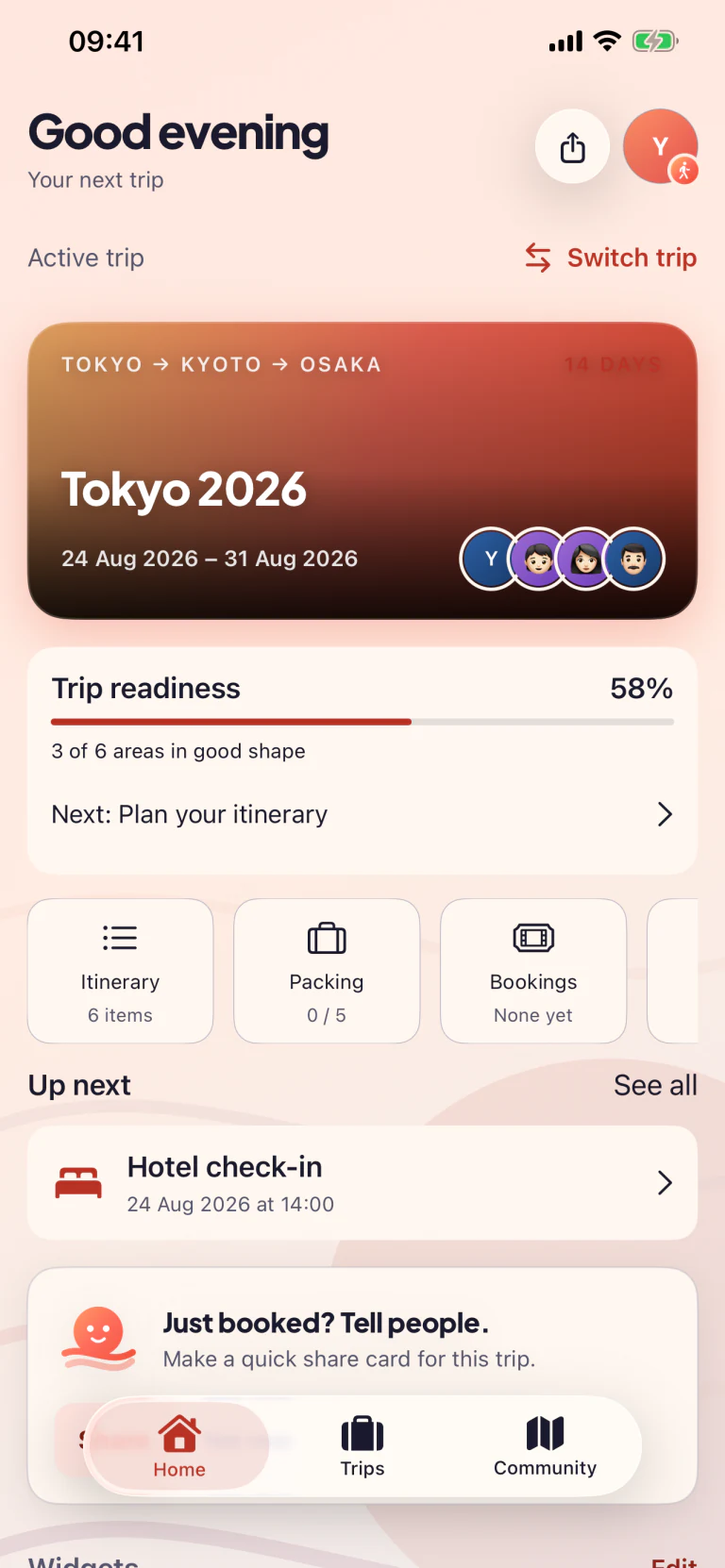
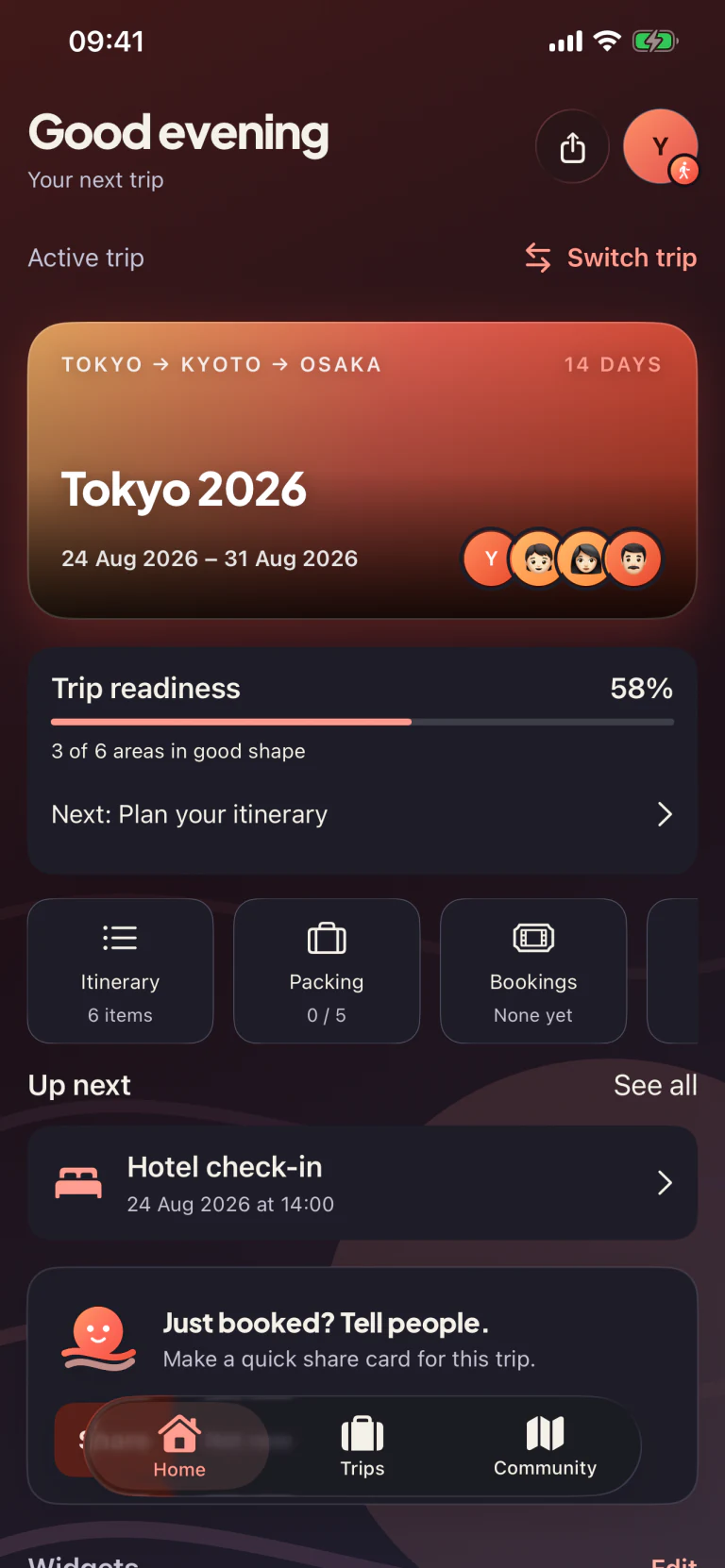
Tripcrafty app dashboard in light appearance showing a Tokyo trip countdown, weather, flights and packingTripcrafty app dashboard in dark appearance showing a Tokyo trip countdown, weather, flights and packing
02 · What's inside

Many tools, one calm app.

One shared plan instead of a spreadsheet plus three group chats. Shared where it helps, concealed where a surprise needs its moment, and simple to use.
01

The countdown is the point.

Days, hours and minutes to your next trip. Milestones along the way, a widget on your Home Screen, and a Live Activity as the next plan comes around.

42
Sleeps
7
Milestones
12
Packing wins
£260
Under budget
02

Trip board & routes

See the day on a map, in order. Real walking, driving and public transport times between stops, and a warning when two bookings are too close together.

03

Packing lists, smarter

Per-person, per-trip. Suggestions tuned to weather, dates, and how long you've packed before.

04

Budget tracker

Set a number, log expenses by tap, and watch one honest bar tell you exactly where you stand. Split costs and settle up at the end.

05

A link for everyone else

Send a view-only link and friends see the plan in any browser, with no app to install. Add a passcode if you'd rather it stayed between you.

06

Every booking in one place

Flights, stays, transfers, dining and activities, grouped by status with references and confirmations attached.

07

Family sharing

Invite the whole family to one private iCloud trip. Everyone can help with the plan, packing and expenses as they change.

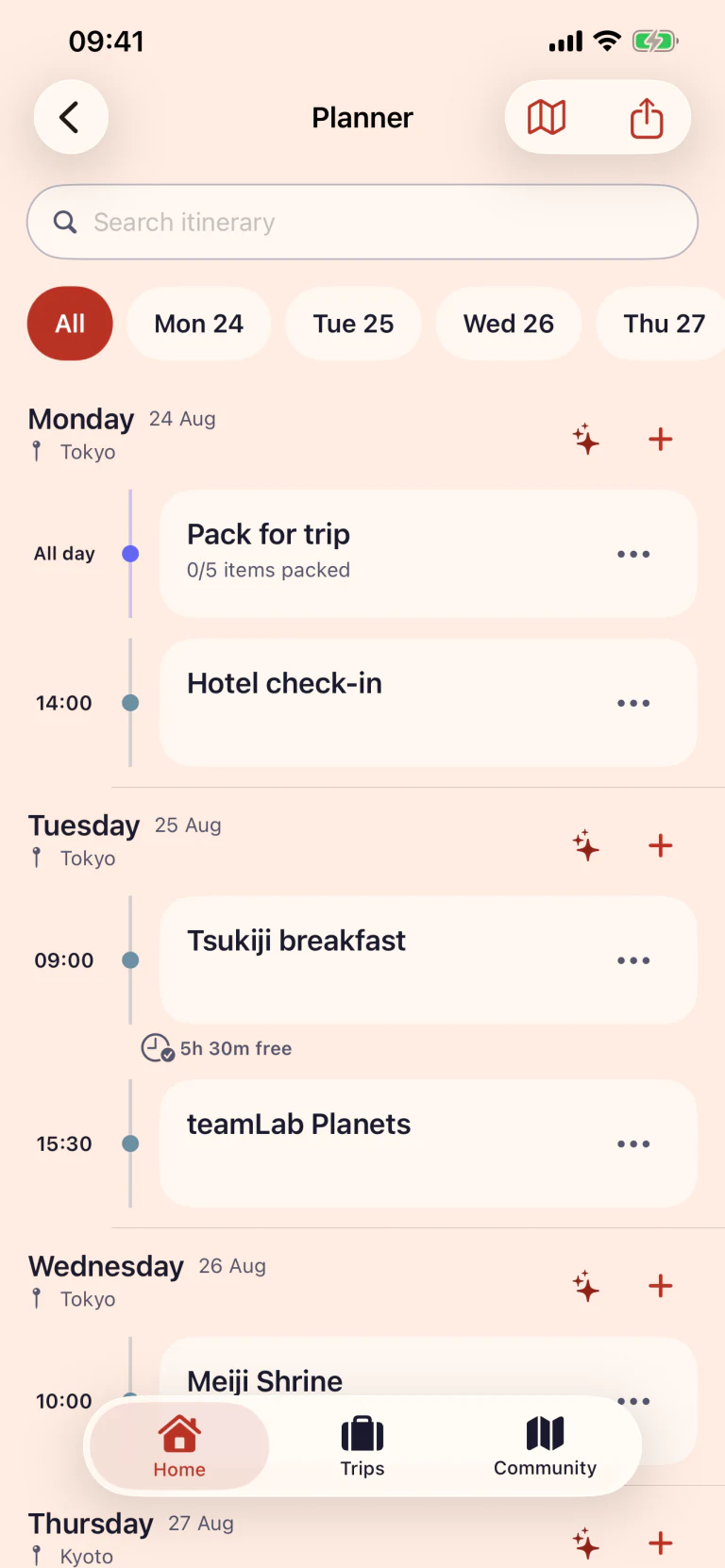
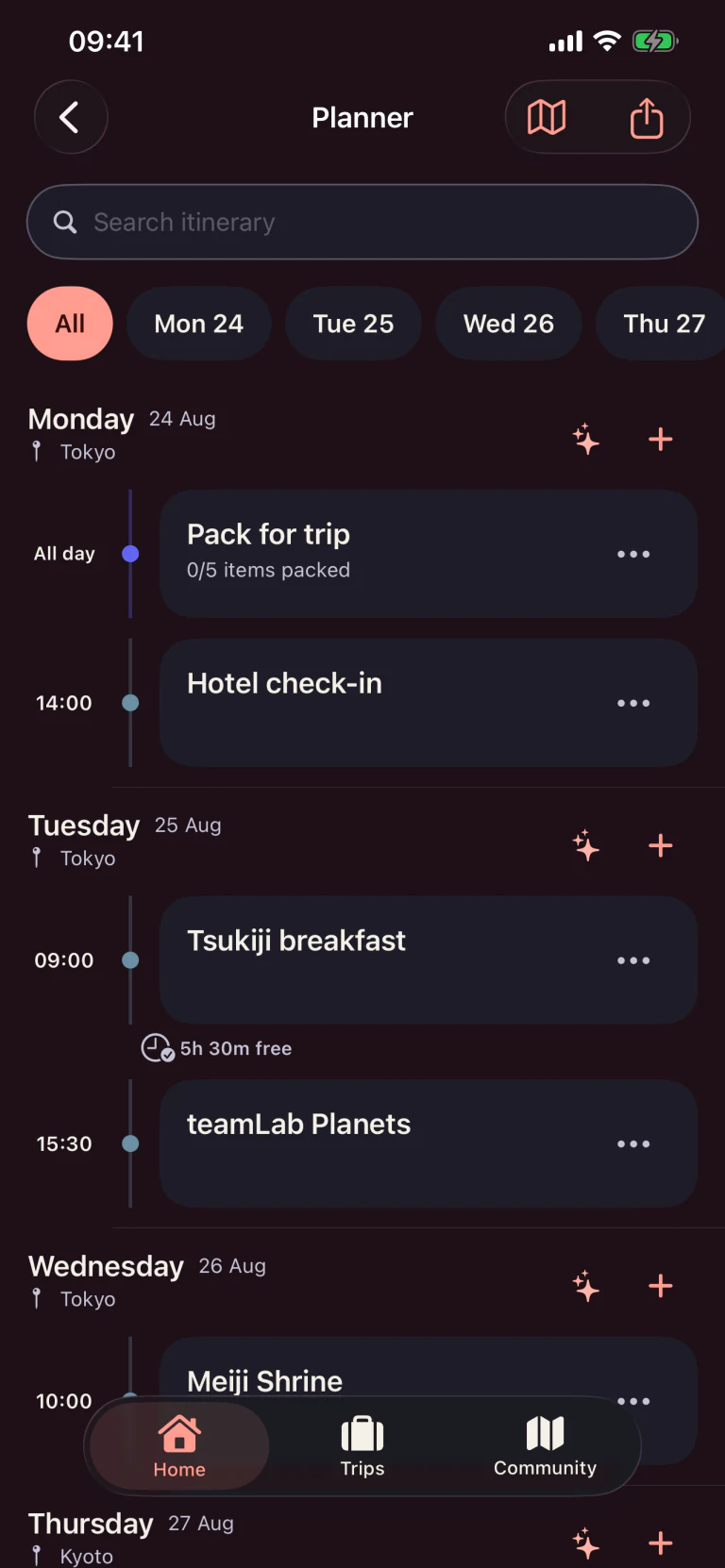
Tripcrafty day-by-day planner with bookings, travel and free-time gaps in light appearanceTripcrafty day-by-day planner with bookings, travel and free-time gaps in dark appearance
03 · Planner

Every day, in one calm timeline.

Put bookings, travel and ideas in one ordered plan. You can see what is happening, where it is and how much breathing room is left between stops — with travel times taken from Apple Maps rather than guessed at.

  • 01One timeline for the whole tripKeep bookings, activities and travel together by day.
  • 02See the gaps before you fill themFree-time markers make an overpacked day obvious, and you're warned when two bookings are too close to make.
  • 03Switch to the Trip BoardThe same day as a route on the map: stops numbered in order, distance and travel time for the day, and walking, driving or public transport chosen leg by leg.
  • 04Hand the day to MapsOpen the next stop in Apple Maps, or the whole day in Google Maps.
04 · Packing

Packing the kids would actually help with.

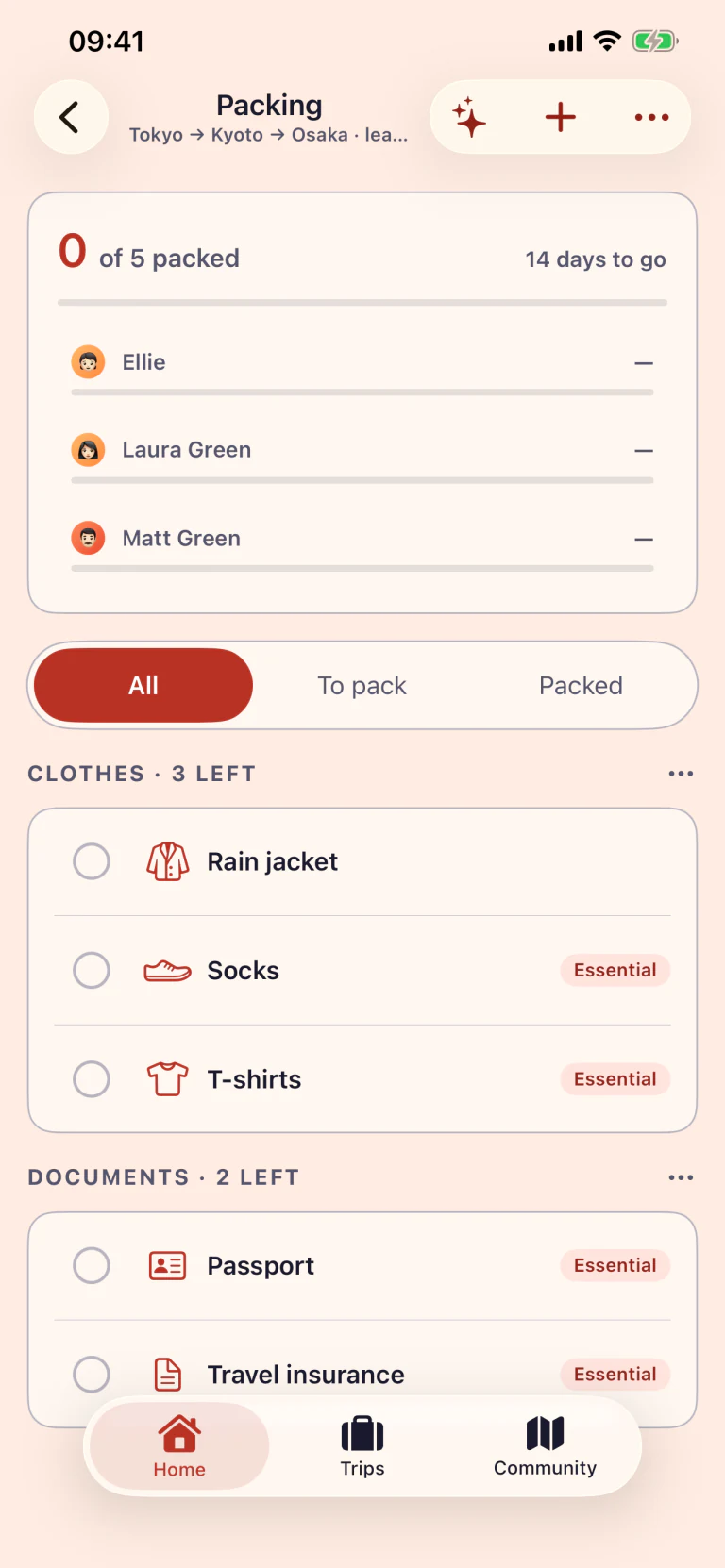
Each family member gets their own list. Suggestions based on the destination, dates, and what's already packed. Tick things off together and the progress bar updates for everyone.
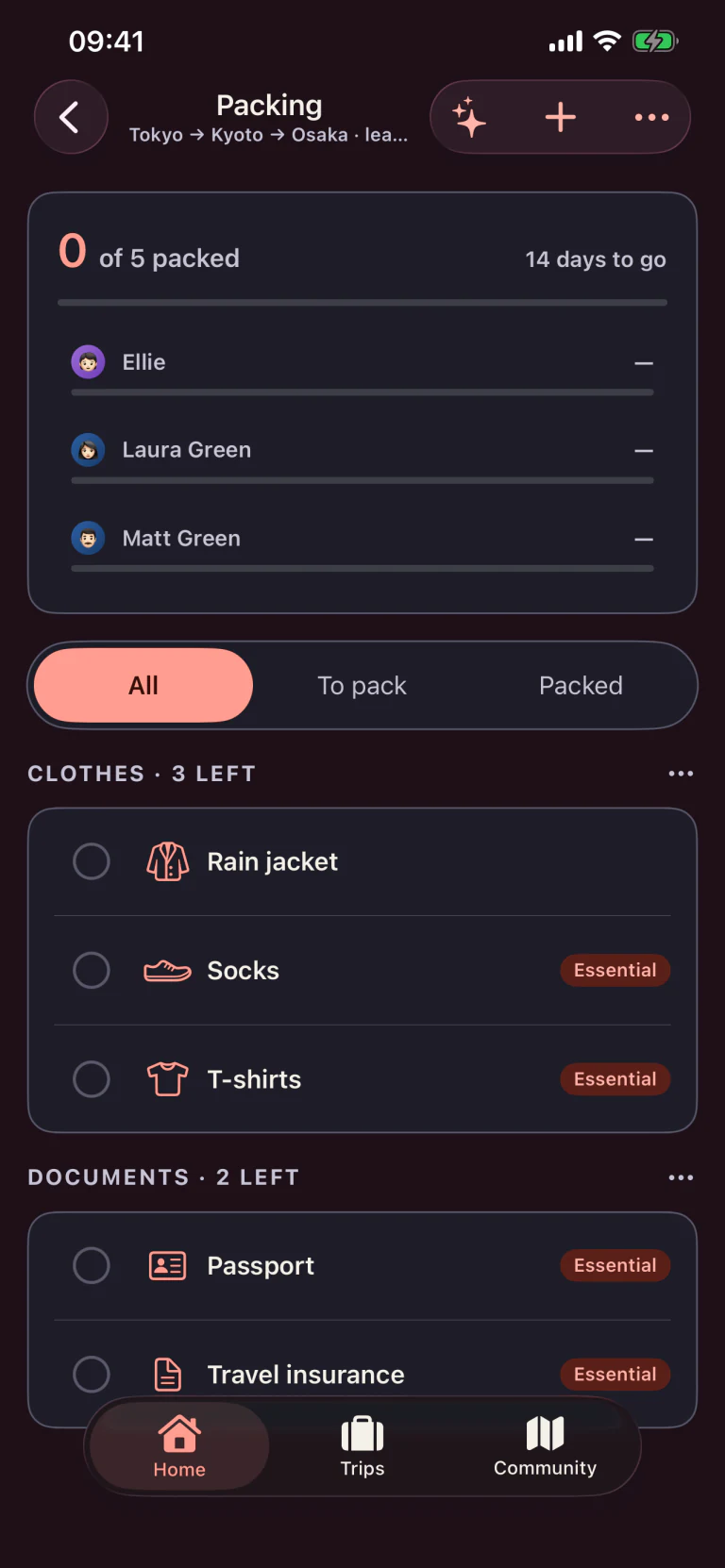
  • 01Per-person lists, all in one viewEach family member sees their own list.
  • 02Suggestions tuned to the tripCategories and starter items based on dates and destination.
  • 03Real-time sync across the familyTick on one phone, the rest update in seconds via iCloud.
Tripcrafty shared packing list with family assignments and progress in light appearanceTripcrafty shared packing list with family assignments and progress in dark appearance
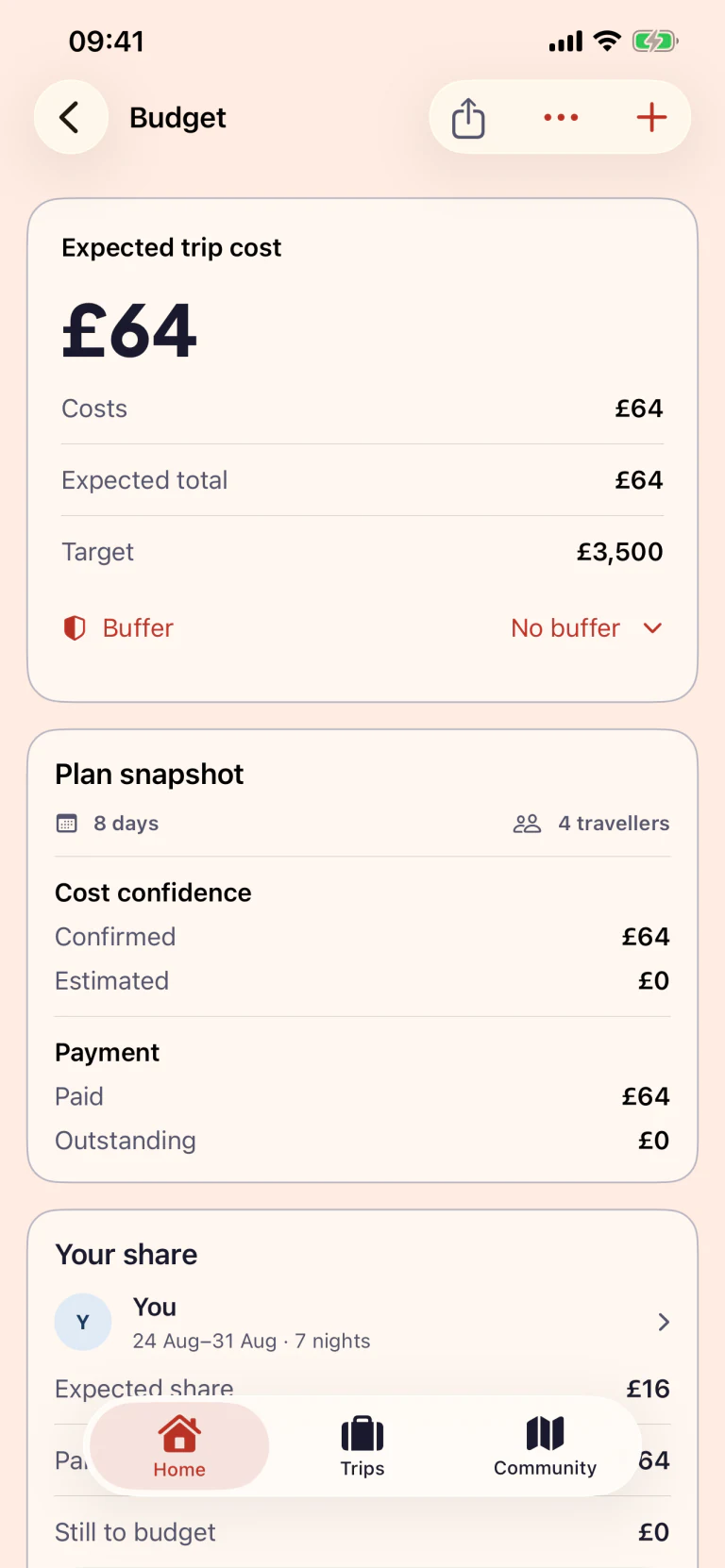
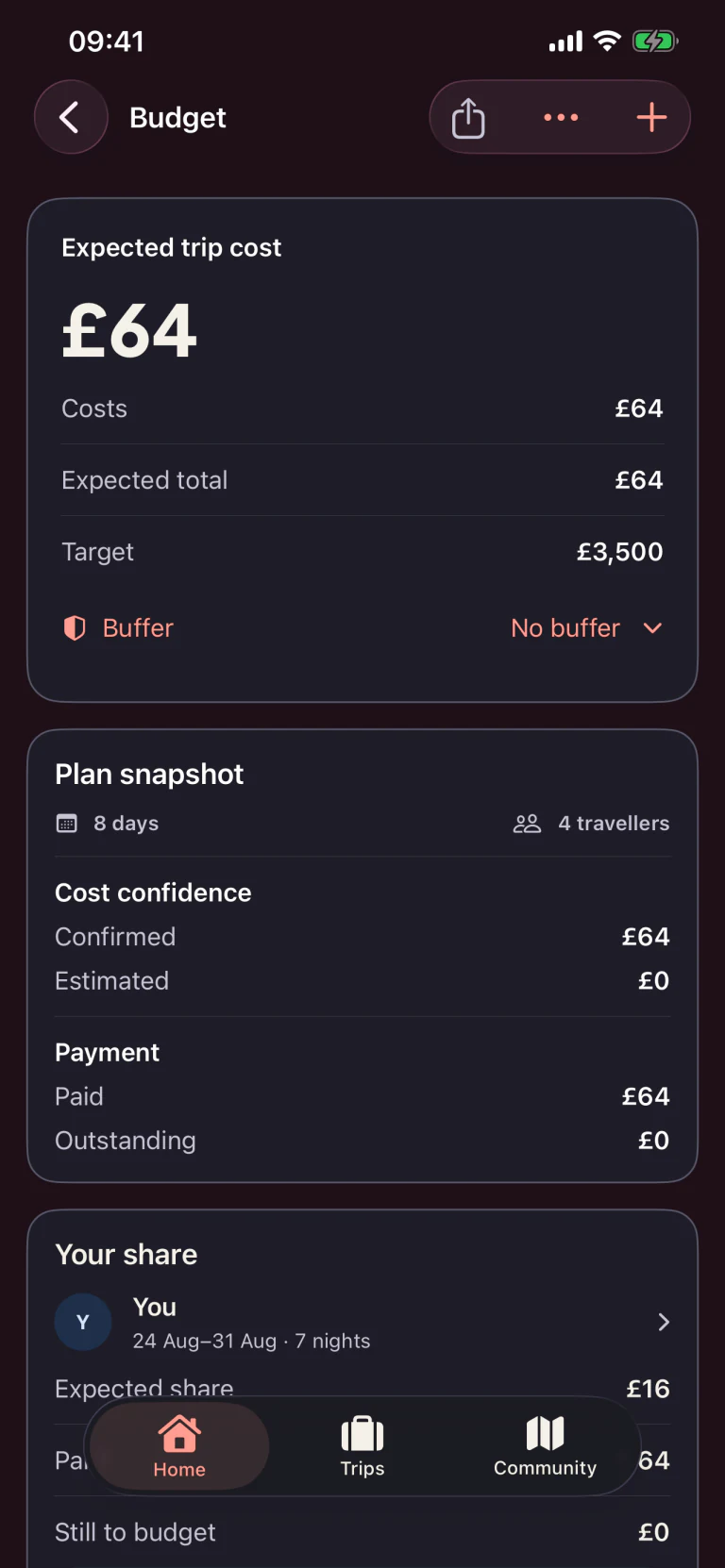
Tripcrafty budget planning with expected trip cost, confirmed and estimated spending, and each traveller's share in light appearanceTripcrafty budget planning with expected trip cost, confirmed and estimated spending, and each traveller's share in dark appearance
Before you go
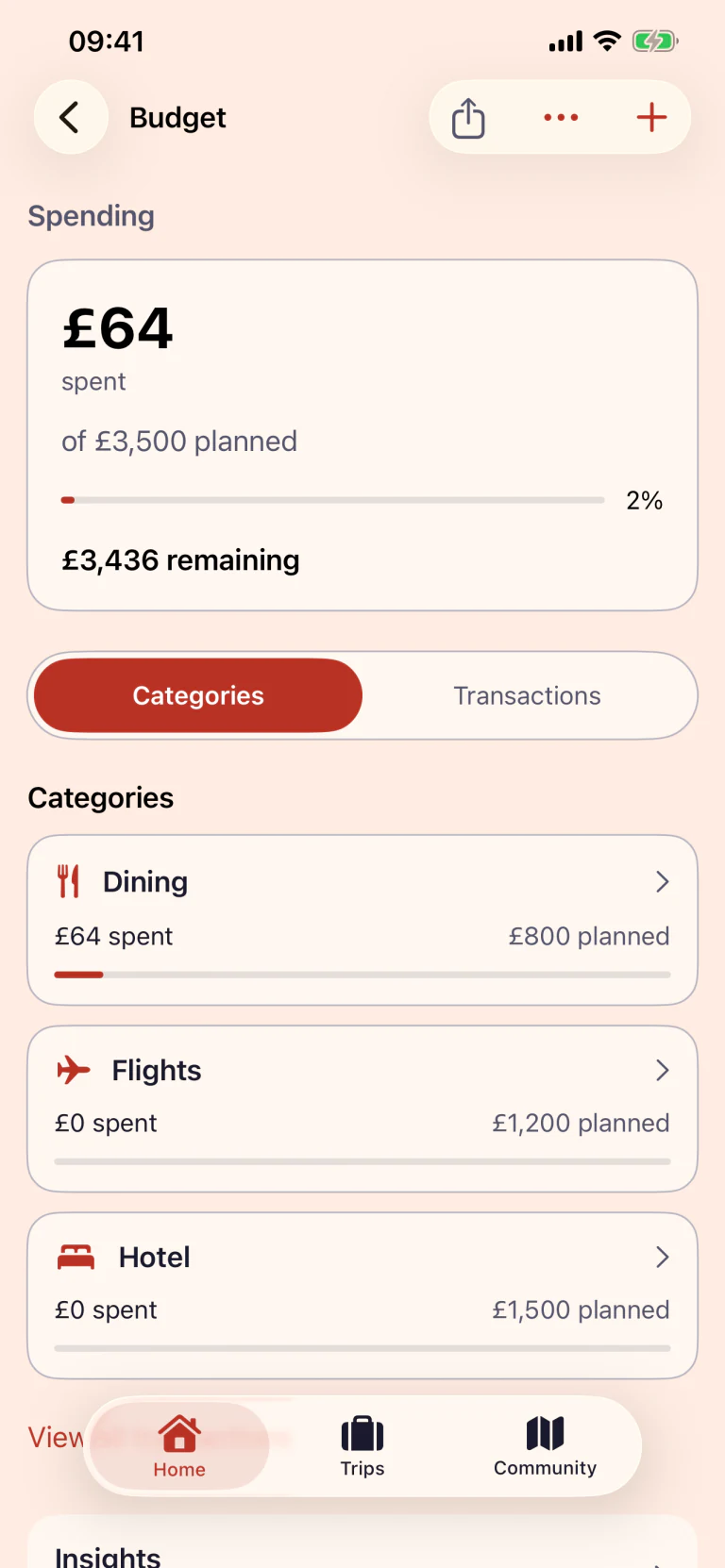
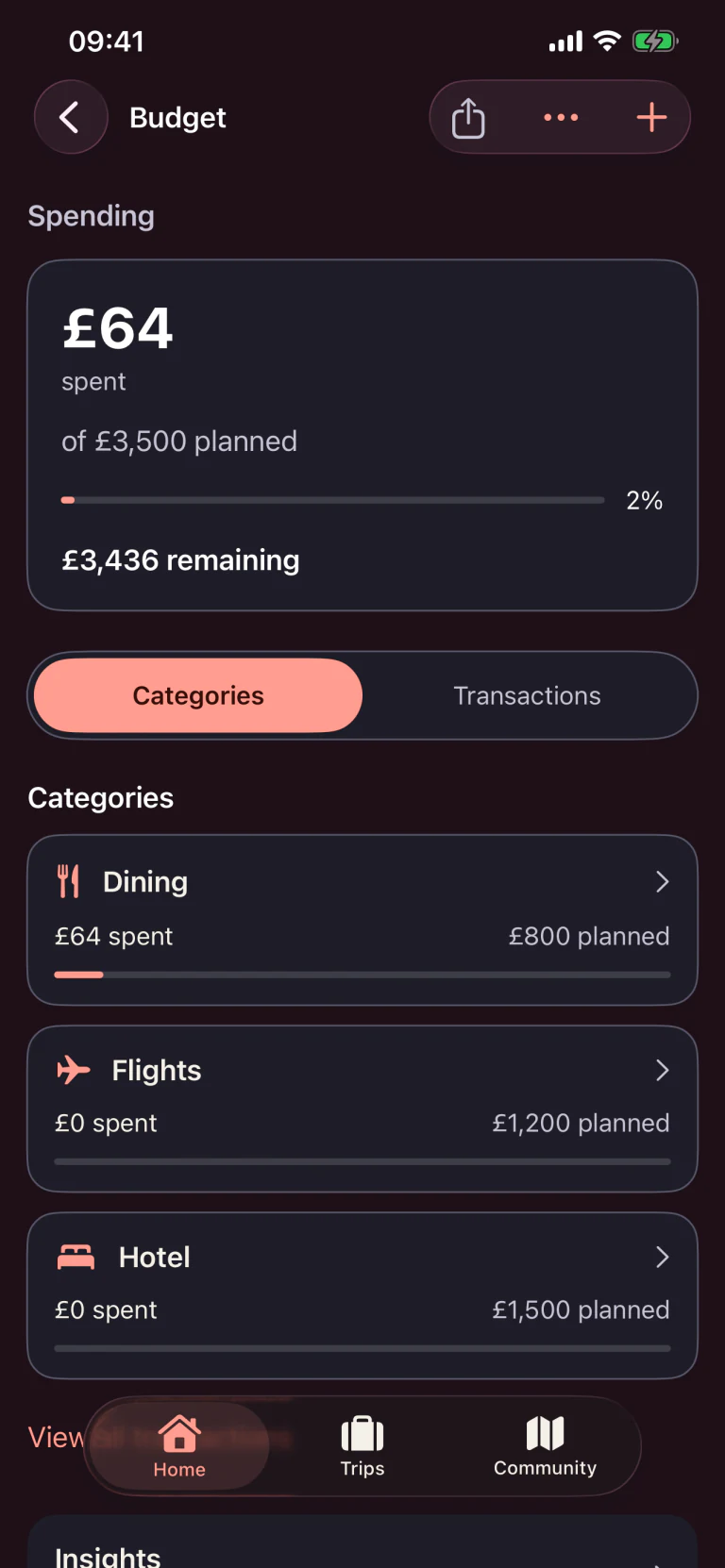
Tripcrafty budget spending showing what has been spent against what was planned, with a progress bar and per-category totals in light appearanceTripcrafty budget spending showing what has been spent against what was planned, with a progress bar and per-category totals in dark appearance
While you’re there
05 · Budget

A budget you don’t dread checking.

Two halves of the same screen. Work out what the trip will cost while you’re still planning it, then track what you actually spend once you’re there. Tripcrafty switches as the trip starts.

  • £Work out the cost firstSet a target, then see what is confirmed, what is still an estimate and what each traveller owes.
  • ·Track it while you travelLog expenses by tap and see what you have spent against what you planned, by category and by destination.
  • ↗Settle up at the endSee who paid what, square it up between you, and export the lot as a spreadsheet.
07 · Surprise reveal

Keep the destination secret. Make the wait part of the trip.

Plan the reveal privately while everyone else gets a mystery countdown and just enough clues to keep the group chat guessing.

  1. Set the secretChoose the hidden destination, reveal time and the moment it opens.
  2. Leave a trailAdd optional clues and decide when each one becomes visible.
  3. Reveal togetherPick the reveal style, then let everyone discover the answer at once.
  4. Or send it as a linkAnyone can watch the countdown in a browser and see clues as they unlock. The destination stays sealed until the moment you chose — the page itself doesn’t know it either.

The destination is concealed in participant-facing app screens; shared trip data is not end-to-end encrypted.
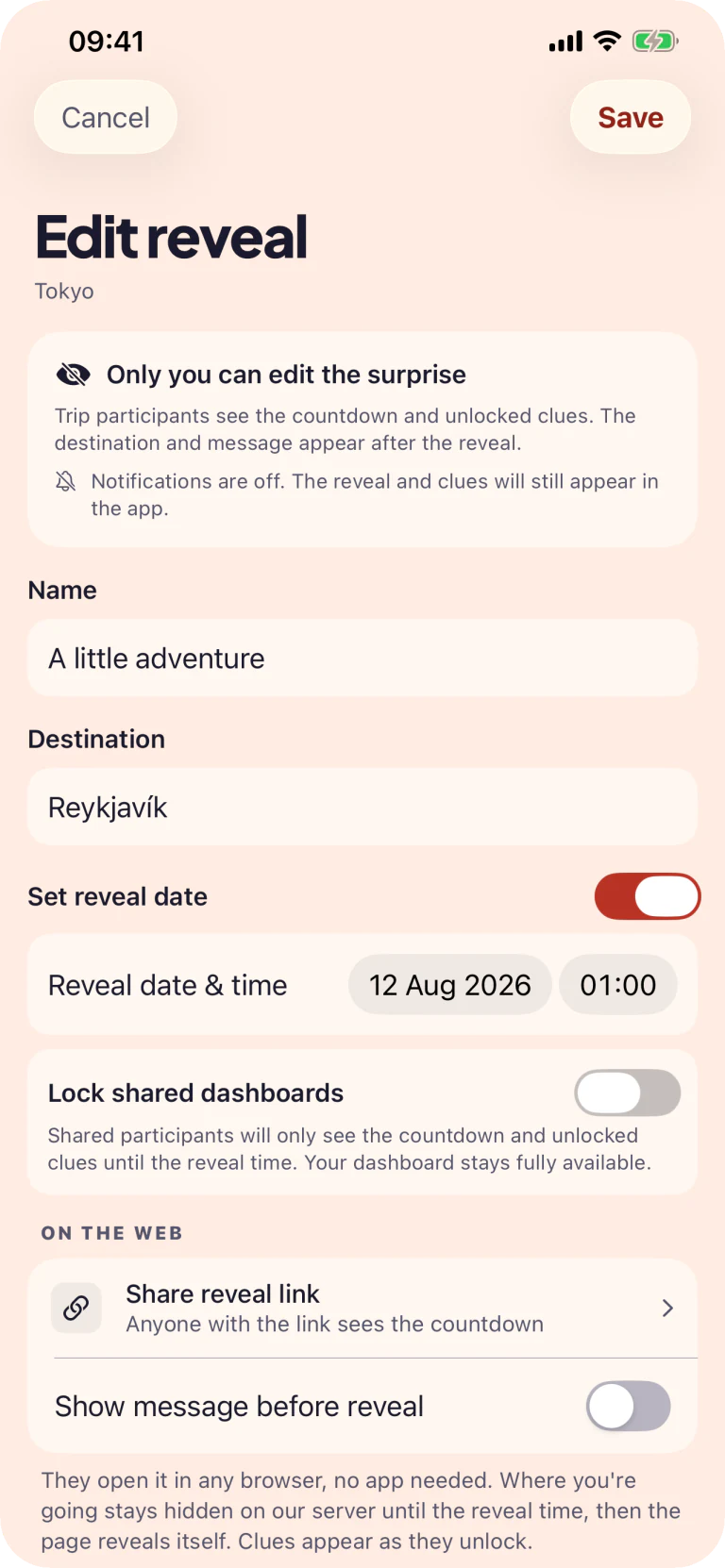

You set the secret
Tripcrafty Surprise Reveal editor with a private destination, reveal time and reveal style
They see the anticipation
Tripcrafty mystery trip countdown showing a gift, two-day timer and passport clue
08 · Community

Somebody has already been.

Tripcrafty has a community of travellers sharing trips, tips and artwork. Browsing it, publishing to it and making your own covers in Tile Studio are all free — you only need to sign in to post.

Ideas from people who went

Browse trips, destinations, picks and travellers. Follow the ones worth following, favourite the rest, and pull an idea straight into your own plan.

Covers you made yourself

Tile Studio builds destination artwork from scenes and colours. Save it, remix someone else's, and use it as a trip cover or drop it into a day.

Share the good bit

Turn a countdown, a finished packing list or a single travel tip into a card worth posting. Sol signs them.

09 · Family sharing

Everyone in the
group chat,
actually helping.

Invite the whole family to one private iCloud trip. Everyone can help keep the plan, packing and expenses up to date, without another spreadsheet or a trail of lost messages.
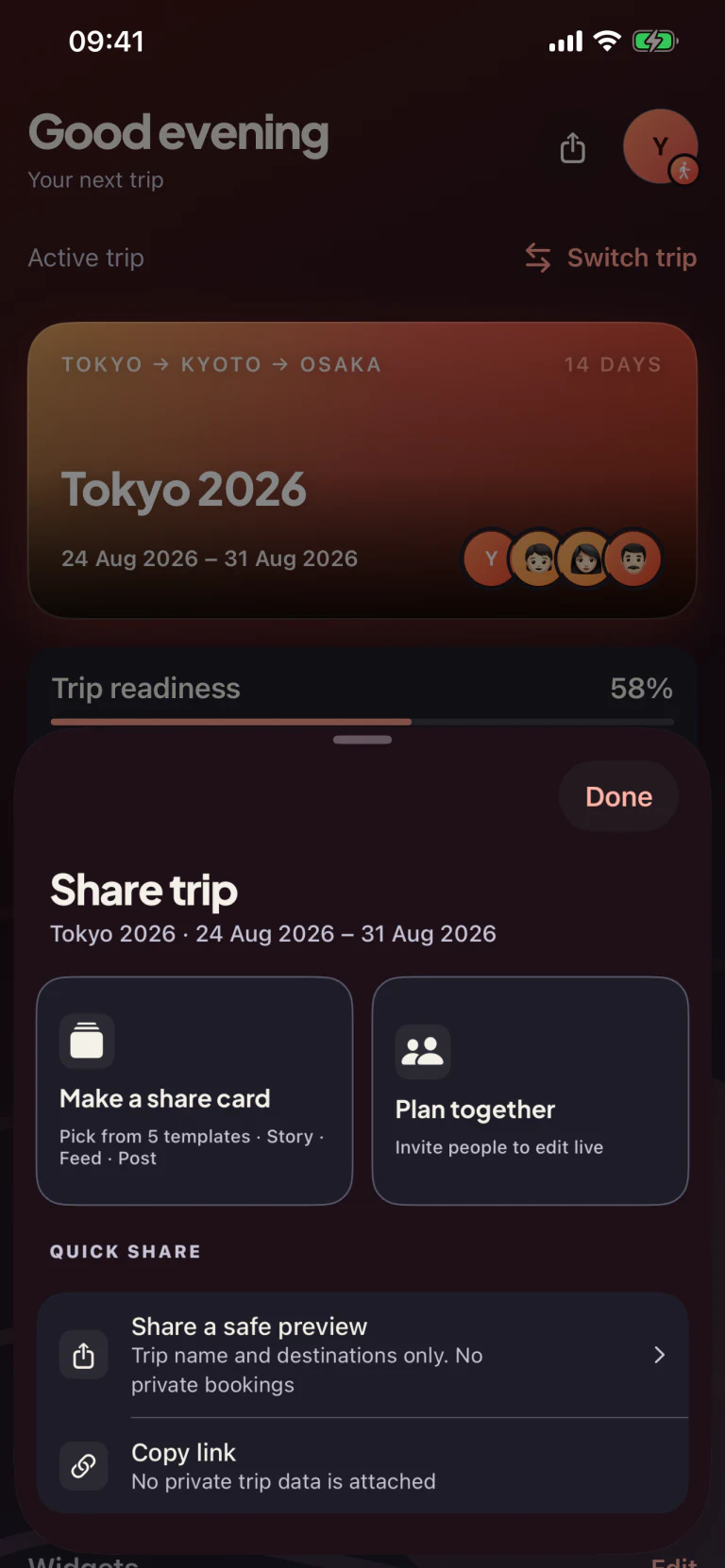
Tripcrafty sharing sheet with collaboration and privacy-safe sharing options in dark appearance
Inside Tripcrafty

The whole trip, beautifully organised.

Designed for the practical bits of travelling and the people you are planning them with. Light and dark appearance are built in.

Trip dashboard with a Tokyo countdown, weather, flights and packing widgets in light appearanceTrip dashboard with a Tokyo countdown, weather, flights and packing widgets in dark appearance

One beautiful place

Countdowns, weather and everything ahead.

Day-by-day trip planner with hotels, activities and travel times in light appearanceDay-by-day trip planner with hotels, activities and travel times in dark appearance

Every day, in order

Bookings and ideas in one clear timeline.

Shared packing list with family assignments and progress in light appearanceShared packing list with family assignments and progress in dark appearance

Pack together

Assign items and see what is left at a glance.

Trip budget with remaining balance, daily allowance and spending categories in light appearanceTrip budget with remaining balance, daily allowance and spending categories in dark appearance

Keep every penny on track

Live totals, daily allowance and quick expenses.
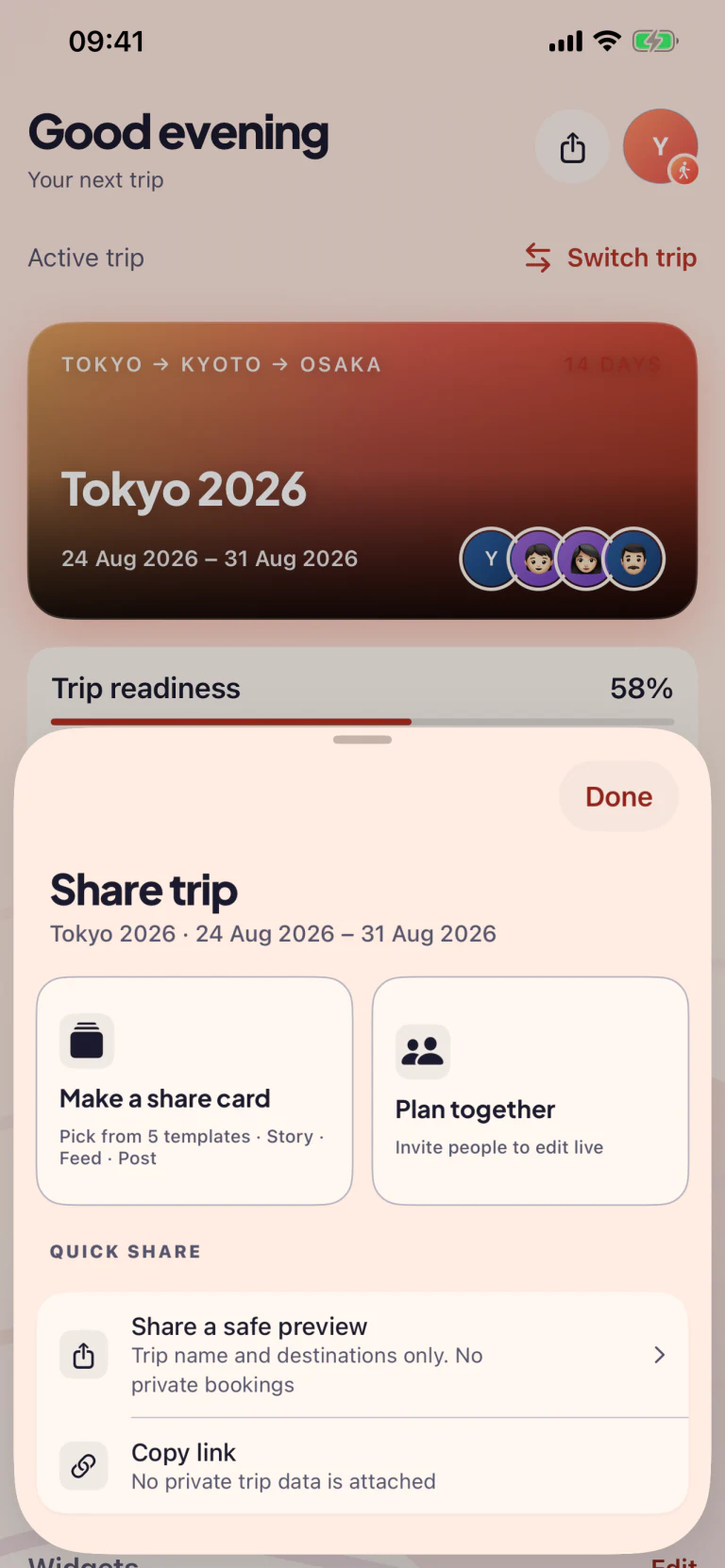
Trip sharing sheet with collaboration and privacy-safe sharing options in light appearanceTrip sharing sheet with collaboration and privacy-safe sharing options in dark appearance

Plan together. Share safely.

Invite family or share a privacy-safe preview.

5 share cards · 3 formats · 1 tap

Pick the card that fits the moment.

Every card exports at the right pixel size for Instagram Stories (9:16), Feed (4:5) or Post / Threads (1:1). Tap Save and it's in Photos, ready to post.
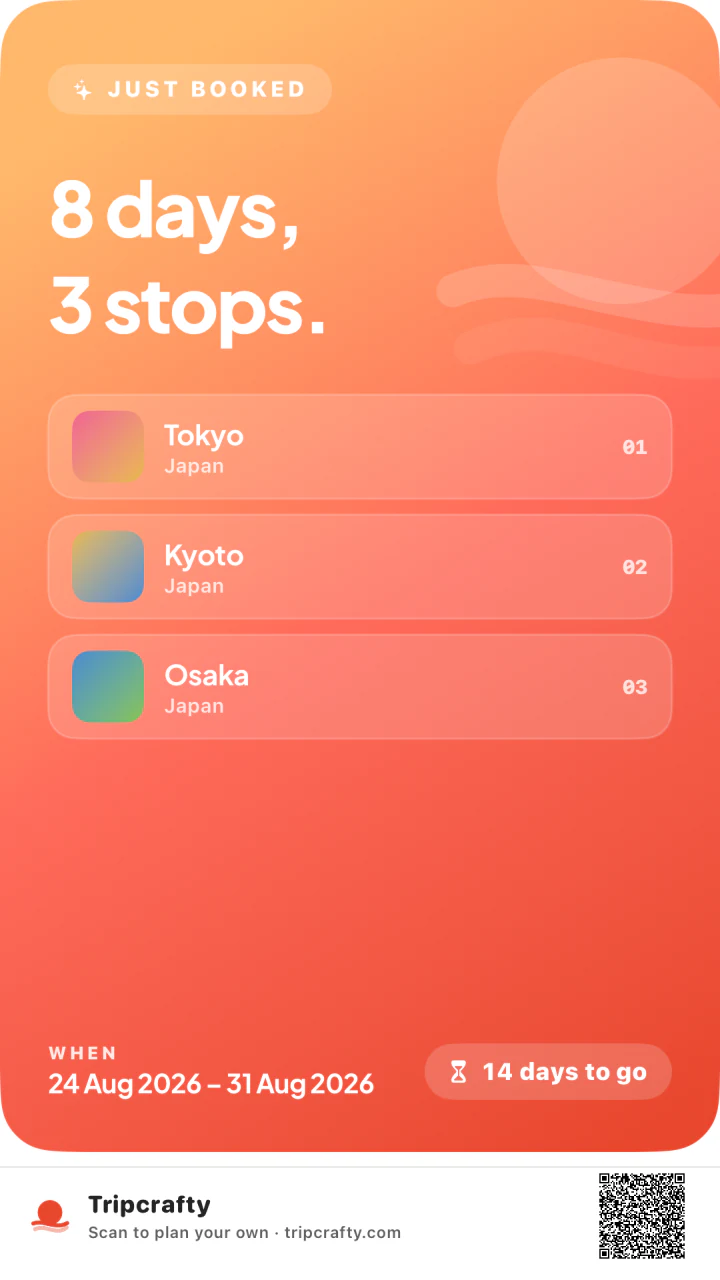

Hero
Coral sunrise · just-booked moment
Postcard
Vintage paper · italic serif
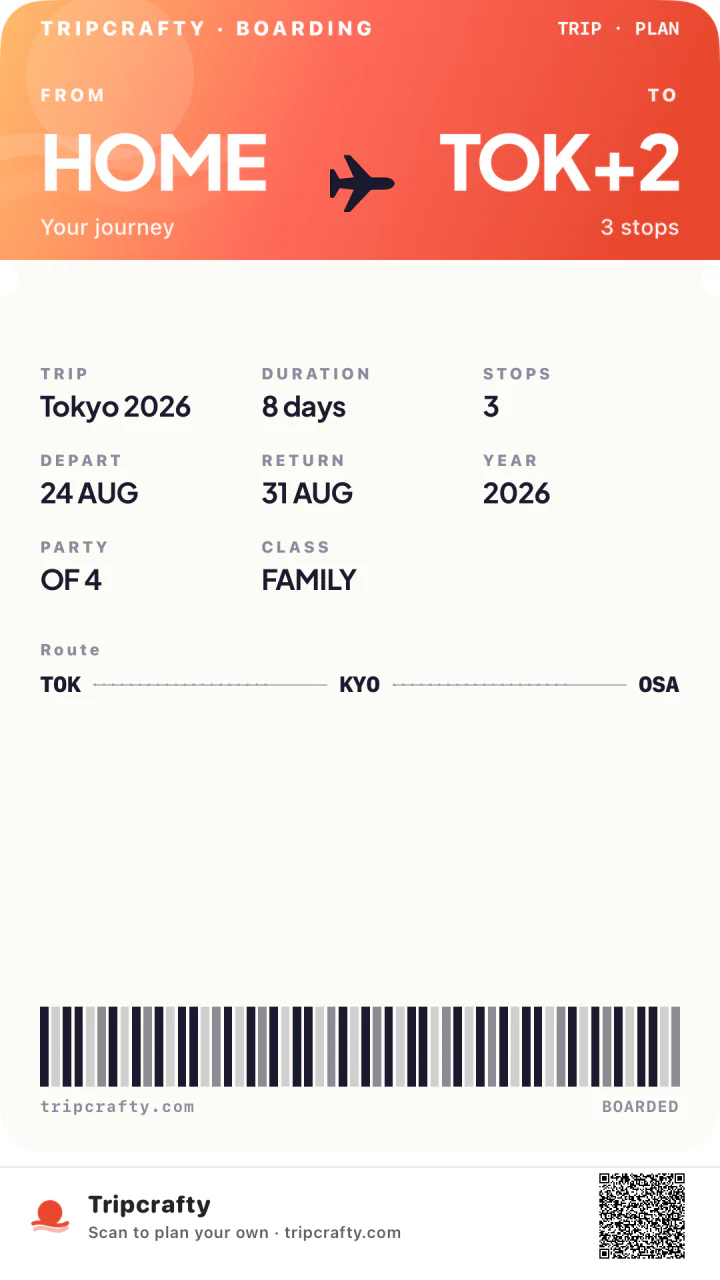
Boarding
Ticket aesthetic · barcode
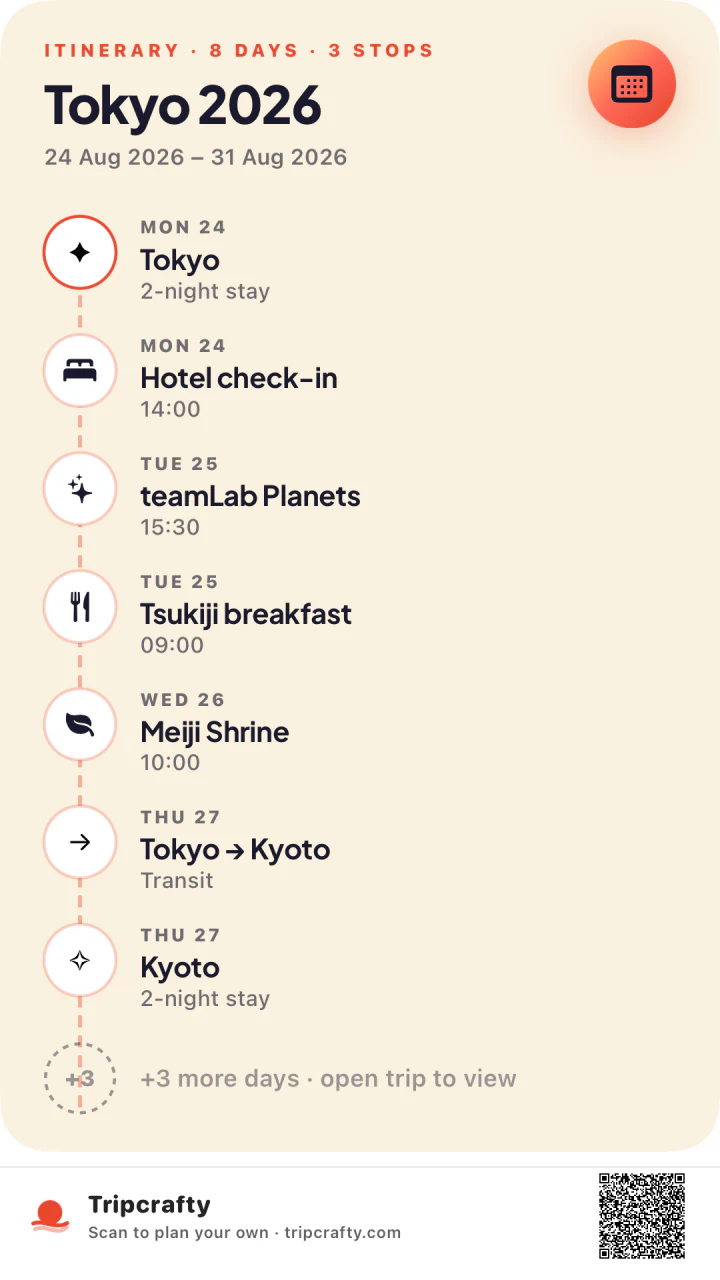
Itinerary
Day-by-day timeline
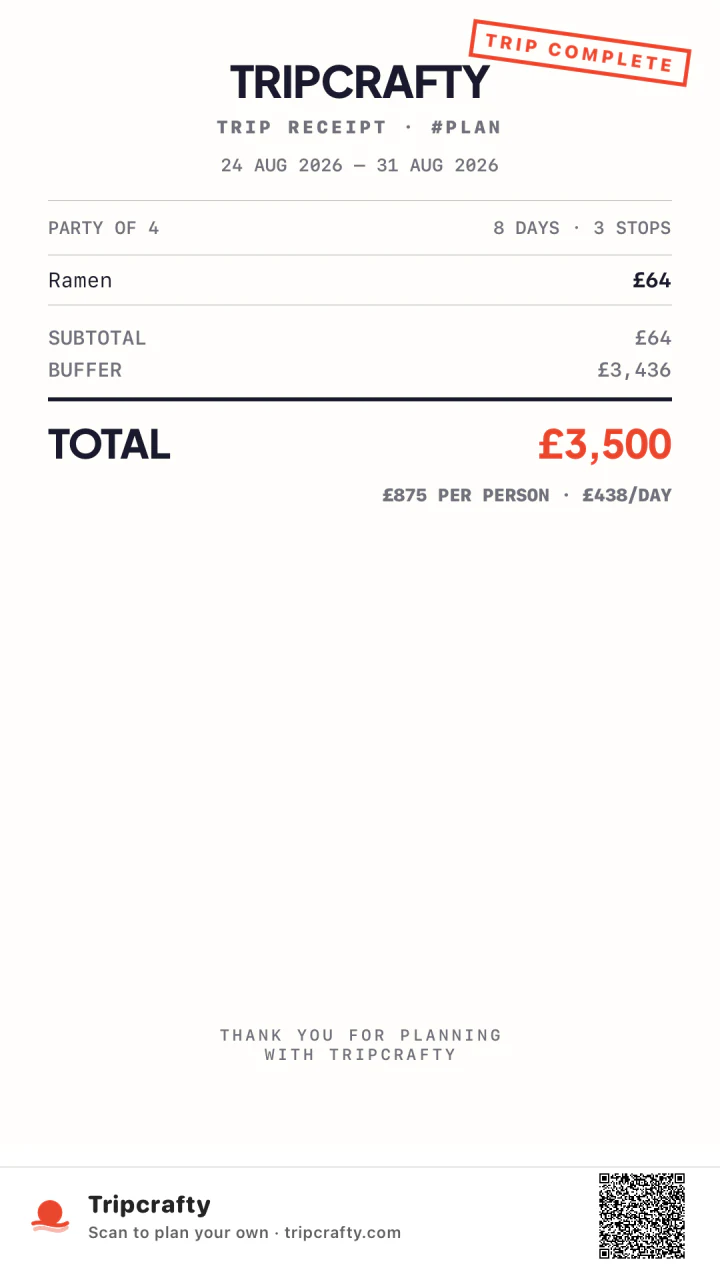
Receipt
Mono ledger · trip costs

Get your hands
on it early.

Tripcrafty is with its first testers now. Join the early-access list and we’ll send you an invite as places open up.

No spam.